


WASticker-Sticker for WhatsApp
4.4166.00 Reviews
App Specs
- Version
- 3.4.5
- Updated On
- License
- Free
- Downloads
- 10,000,000+
- Developer
- Office Tools.
- Categories
- Comics
- Platform
- Android, iOS
Screenshots
 Analysis by AppCompare
Sticker apps can be a small pleasure or a source of clutter, depending on how well their packs fit the way you actually chat. I see WASticker-Sticker for WhatsApp as a straightforward way to browse expressive images and bring selected packs into WhatsApp, especially if you often find plain text a bit limiting. Its appeal is less about transforming messaging and more about having a quick visual response ready when words feel flat.
Trust starts with a clear purpose
This is a free comics app from Office Tools, built around stickers for WhatsApp rather than a general messaging service. That narrow purpose is useful context: I would judge it by how easily I can find a pack I like and decide whether to add it, not by expecting it to manage my chats or replace WhatsApp. It has an average rating of 4.4 from around 21,000 ratings, and more than 10 million installs, so it has reached a large audience, though popularity alone is not a privacy guarantee.
The age rating is Teen, which is worth keeping in mind if you are choosing sticker content for a younger person or a family group. Stickers can be humorous, suggestive, or simply mismatched to the audience, and the safest choice is to look through a pack before sharing it. I would treat browsing as part of deciding what belongs in my chats, rather than assuming every image will suit every conversation.
Choices that matter in everyday use
The practical decision is whether a pack is worth adding to WhatsApp. I would browse first, check the artwork and tone, and add only the packs I can picture using. That simple habit keeps a sticker collection manageable and avoids filling the picker with images that seemed amusing for a moment but rarely fit a real conversation. If a pack includes several styles or recurring characters, I would also consider whether I want that whole visual theme appearing in my chats.
There is a useful distinction between finding stickers in a separate app and using them in a messenger: the former is a discovery step, while the latter is where they become part of a conversation. I would make that handoff deliberately. A sticker may be fine for a close friend but awkward in a work chat, so I would choose the recipient and context before sending rather than treating a funny image as universally appropriate.
Photos, sharing, and a little restraint
Making a sticker from a personal photo can be more fun than downloading another generic reaction, but it also changes what I would think about before sharing. A familiar face, a child’s picture, or an image taken in a private setting can travel beyond the original joke once it is sent into a group. I would choose a photo I am comfortable sharing and avoid turning someone else’s image into a sticker without their permission.
For a low-effort personal touch, I would use a picture with a clear subject and a simple background. Busy scenes can be harder to read at sticker size, while a close-up expression is more likely to make sense in a quick reply. This is a practical design tip rather than a promise about any particular editing controls: the result still needs to be checked in the chat context, where a small image may look different from the full photo.
Worth Reading Before You Choose

Baby Panda World Brings Quick Play to Modern Phones, but Its Game Library Feels Busy

ESPN’s Live Game View Makes Following Close Games Easier

QuizzLand Review: A Good Fit for Short Trivia Breaks, Not Every Player

Basketball Stars: Multiplayer Is Fast, but Can It Recover When Matches Go Wrong?

WEBTOON Turns Phone Updates Into a Better Reading Routine

Link to Windows Runs on Shared Habits, Not Social Feeds
My cautious approach to any sticker app is to review the choices it visibly offers and check the permissions shown by my device before granting access. I would not infer a particular data practice from the app’s purpose alone. If a permission request appears, I would ask whether it makes sense for the action I am trying to take; if it does not, I would pause instead of approving automatically. That keeps the decision in my hands without assuming what happens behind the scenes.
Exploring the Sticker Wonderland
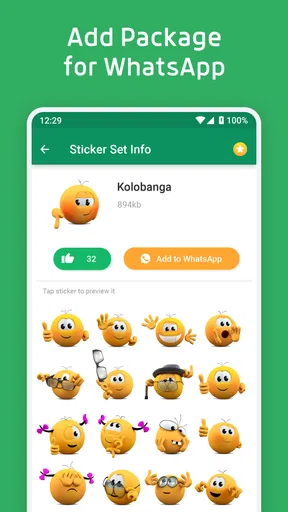
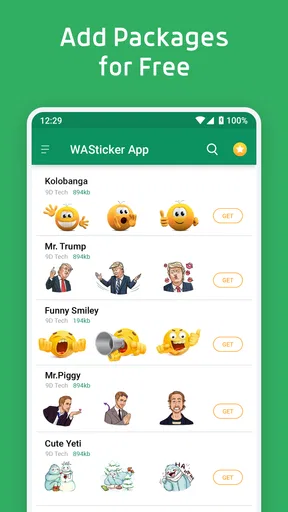
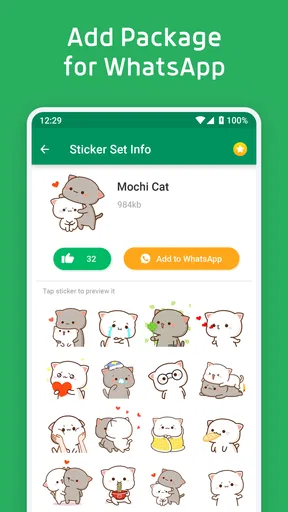
When I first opened WASticker-Sticker for WhatsApp, I was greeted with a colorful array of sticker packs. It's like being in a candy store but for stickers! The app's layout is super intuitive, which means you won't be scratching your head trying to figure things out. Everything is neatly categorized, so whether you're into memes, cute animals, or artsy stuff, there's something for everyone.
One of the things I loved was the variety. I mean, we're talking about hundreds of sticker packs. And if you’re like me, who loves to have options, you'll have a blast exploring all the different styles. From quirky cartoons to elegant designs, every pack has its own personality. It's fascinating how these little graphics can add so much flavor to what would otherwise be a plain text message.
Getting Down to the Nitty-Gritty
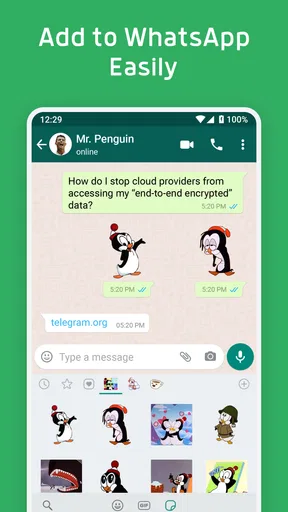
Alright, let's talk functionality. Adding these stickers to WhatsApp is a breeze. You just tap on a pack you like, hit the ‘Add to WhatsApp’ button, and boom! Your stickers are ready to go. No complicated steps or tech wizardry needed, which is a relief for those of us who aren't exactly tech-savvy.
Another cool feature is the ability to create your own stickers. Yup, you heard that right. You can turn your photos into stickers, which is perfect for those who want a more personalized touch. It’s a fun way to make your chats unique and share a laugh with your friends. Plus, it’s super easy. Just a few taps and your personalized stickers are ready to roll.
The User Experience
Now, let's get into the user experience. The app runs smoothly without any noticeable glitches, which is a big plus. I didn't encounter any annoying ads popping up every five seconds, which is always a win in my book. The app is lightweight too, so you won't have to worry about it hogging your phone's memory.
One thing I did notice, however, is that some sticker packs require a small fee. This is pretty common with apps like these, and honestly, the prices are reasonable for the quality and variety you get. Plus, there are tons of free packs to choose from, so you can still enjoy plenty of stickers without spending a dime.
Why You Need This in Your Life
In a world where we’re constantly texting and chatting, having a fun way to express yourself is invaluable. With WASticker-Sticker for WhatsApp, you can bring your conversations to life and say what words sometimes can't. It's a simple yet effective way to inject some personality into your chats.
If you're someone who loves to keep things lively and interesting, I’d say this app is a must-have. It’s like having an art gallery at your fingertips, ready to enhance your messaging game. So go ahead, give it a try, and watch your conversations transform from mundane to magical.
In conclusion, WASticker-Sticker for WhatsApp is an app that delivers exactly what it promises: a vast, vibrant collection of stickers that make chatting more engaging and entertaining. It’s user-friendly, packed with features, and offers something for everyone. So, what are you waiting for? Dive into the sticker wonderland and let the fun begin!
Where it fits among sticker options
Compared with choosing stickers from WhatsApp’s own options, a dedicated catalog can be handy when you want to browse beyond the images you already have. The trade-off is another step: you discover a pack in one place, add it, then use it in your chat. If you only send an occasional reaction, WhatsApp’s built-in selection may be enough and simpler. If you enjoy matching a reaction to a particular mood or running joke, browsing a separate collection makes more sense.
It also differs from making every image yourself. Ready-made packs save time and provide a consistent visual style, while custom photo stickers can feel more personal but take more thought about what is appropriate to share. I would use both selectively: a small set of familiar reactions for everyday replies, and a personal image only when it genuinely adds something to the exchange.
A realistic way to use it
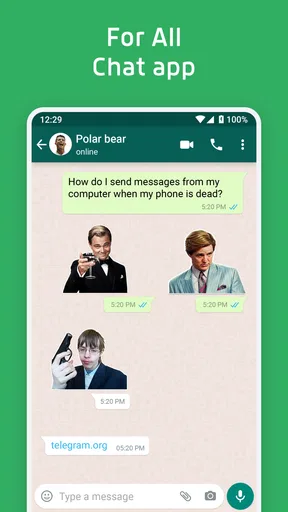
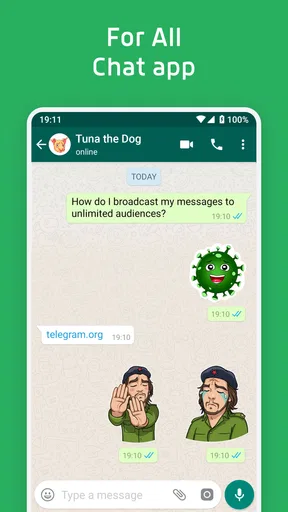
Imagine a friend sends a photo of a badly assembled shelf to your group chat. A playful sticker can convey sympathy without turning the moment into a long exchange. I would browse for a reaction that suits that friend’s sense of humor, add the pack, then use the sticker in WhatsApp. For a family or work group, I would make a different choice—or stick to text—because the same joke may not land with every audience.
That workflow points to the app’s best audience: people who already use WhatsApp often and enjoy expressive, visual replies. It is less compelling for someone who rarely sends stickers, prefers a clean chat interface, or does not want to manage another collection. Likewise, if you need detailed image editing or a more controlled design process, a dedicated graphics tool is a better fit than a sticker catalog.
Small habits that prevent friction
Because browsing many packs can make choosing feel endless, I would start with a purpose: perhaps reactions for friends, greetings for family, or a particular hobby. Previewing for tone as well as appearance helps avoid adding packs that are attractive but hard to use naturally. Once a pack is added, try a few stickers in suitable chats before collecting more; that is a quick way to learn whether its style works for you.
If a sticker is missing from WhatsApp after you add its pack, I would first check that the add step completed and then look in WhatsApp’s sticker area rather than assuming the image is available as a regular photo. If I am choosing a pack with someone else, I would let them inspect it too; the person receiving a sticker may see its humor differently. These checks are simple, but they make the move from browsing to sharing more predictable.
The app is free, and its current version is 3.4.5. It was released on May 6, 2019, and supports Android 7.0 or later. Those details make it easier to judge basic compatibility, but I would still check the version and permissions shown on my own device before installing or using it. The most useful visible control remains my own selection: I can decide which packs to add, what photos to turn into stickers, and which conversations are appropriate places to use them.
A measured recommendation
I would try it if I wanted more ways to react in WhatsApp and was happy to curate a collection rather than accept every pack at face value. The range and photo-sticker option offer room for both quick humor and personal touches, while the separate browsing-and-adding workflow is a little less direct than using stickers already inside the messenger. For me, that is a reasonable trade if I find packs I will actually use.
Pros
- Wide variety of sticker packs available.
- User-friendly interface for easy navigation.
- Regular updates with new sticker additions.
- Compatible with both iOS and Android.
- Allows customization of sticker packs.
Cons
- Contains ads that can be intrusive.
- Limited free stickers
- many require purchase.
- Lacks advanced customization features.
- Some stickers may not suit all tastes.
- Occasional glitches when loading stickers.
FAQs for WASticker-Sticker for WhatsApp
What is WASticker-Sticker for WhatsApp?
WASticker-Sticker for WhatsApp is an app that provides a wide range of sticker packs for enhancing your messaging experience. With various themes and styles, users can easily express emotions and ideas in a fun and creative way. The app integrates seamlessly with WhatsApp, allowing you to access stickers directly within your chats.
How do I install and use stickers from WASticker-Sticker for WhatsApp?
To install and use stickers from WASticker, first download the app from the Google Play Store or Apple App Store. Open the app, browse the available sticker packs, and tap on the ones you like to add them to WhatsApp. Once added, you can access these stickers directly from the WhatsApp chat interface.
Are there any costs associated with using WASticker-Sticker for WhatsApp?
WASticker-Sticker for WhatsApp is free to download and use, although there may be in-app purchases available. Some premium sticker packs might require a small fee, offering exclusive designs and features. Always check the app for any pricing details before making any purchases.
Is WASticker-Sticker for WhatsApp safe to use?
Yes, WASticker-Sticker for WhatsApp is safe to use. It is available on official app stores and adheres to privacy and security protocols. It does not require unnecessary permissions and keeps your data secure. However, always ensure to download apps from trusted sources to avoid security risks.
Can I create my own stickers using WASticker-Sticker for WhatsApp?
Currently, WASticker-Sticker for WhatsApp focuses on providing ready-made sticker packs. If you're looking to create custom stickers, you might need to use a different app designed for sticker creation. Always check app updates, as new features like custom sticker creation could be added in the future.


